GIGABYTE
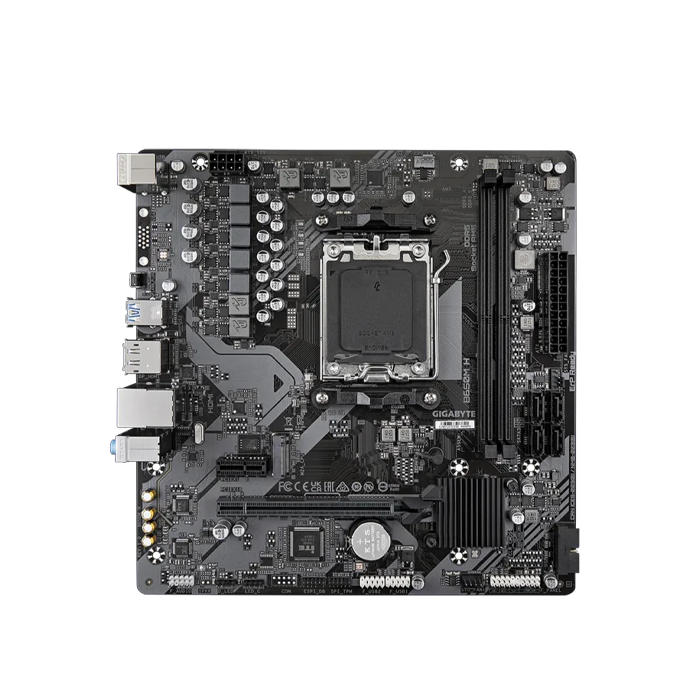
GIGABYTE B650M H DDR5 Motherboard - Black
GIGABYTE B650M H DDR5 Motherboard - Black
SKU: B650M H
Have a question?
-
All orders are dispatched the next business day!
-
We will beat any price. We back all products with a 1 year guarantee.
Couldn't load pickup availability
|
Gigabyte B650 Motherboard Durable Performance GIGABYTE Ultra Durable™ motherboards built with optimal components inside out provide the prime performance and timeless platform. Digital VRM Design 5+2+2 Phases Digital VRM Solution with Low RDS(on) MOSFETs EXPO & XMP Support DDR5 EXPO & XMP Overclocking Up to 6400 and Beyond* Future Connectivity The ultimate connectivity with blazing data-transfer speeds through the next generation network and storage. Easy Friendly Innovative and intuitive hardware, software, and BIOS interface design to create your personal style. Z-Latch Unlock the latch of the PCIe slot easily when remove the graphics card in the PCIe slot. Q-Flash Plus Update the BIOS easily without installing the CPU, memory and graphics card. With GIGABYTE Q-Flash Plus, you don't need to install the CPU, memory and graphics card nor enter the BIOS menu to flash the BIOS. Just download and save a new BIOS file (rename to gigabyte.bin) on the USB flash drive, then press the dedicated Q-Flash Plus button and you’re good to go! Smart Fan 6 Smart Fan 6 contains several unique cooling features that ensure gaming PC maintain its performance while staying cool and quiet. Multiple fan headers can support PWM/DC fan and pump, and users can easily define each fan curve based on different temperature sensors across the board via intuitive user interface. GIGABYTE Control Center GIGABYTE CONTROL CENTER (GCC) is a unified software for all GIGABYTE supported products. It provides newly designed intuitive user interface to control all essential function. |
||||||||||||||||||||||||||||||||||
Specification:
|
Description
Description
|
Gigabyte B650 Motherboard Durable Performance GIGABYTE Ultra Durable™ motherboards built with optimal components inside out provide the prime performance and timeless platform. Digital VRM Design 5+2+2 Phases Digital VRM Solution with Low RDS(on) MOSFETs EXPO & XMP Support DDR5 EXPO & XMP Overclocking Up to 6400 and Beyond* Future Connectivity The ultimate connectivity with blazing data-transfer speeds through the next generation network and storage. Easy Friendly Innovative and intuitive hardware, software, and BIOS interface design to create your personal style. Z-Latch Unlock the latch of the PCIe slot easily when remove the graphics card in the PCIe slot. Q-Flash Plus Update the BIOS easily without installing the CPU, memory and graphics card. With GIGABYTE Q-Flash Plus, you don't need to install the CPU, memory and graphics card nor enter the BIOS menu to flash the BIOS. Just download and save a new BIOS file (rename to gigabyte.bin) on the USB flash drive, then press the dedicated Q-Flash Plus button and you’re good to go! Smart Fan 6 Smart Fan 6 contains several unique cooling features that ensure gaming PC maintain its performance while staying cool and quiet. Multiple fan headers can support PWM/DC fan and pump, and users can easily define each fan curve based on different temperature sensors across the board via intuitive user interface. GIGABYTE Control Center GIGABYTE CONTROL CENTER (GCC) is a unified software for all GIGABYTE supported products. It provides newly designed intuitive user interface to control all essential function. |
||||||||||||||||||||||||||||||||||
Specification:
|
Item Specifics
Item Specifics