MSI
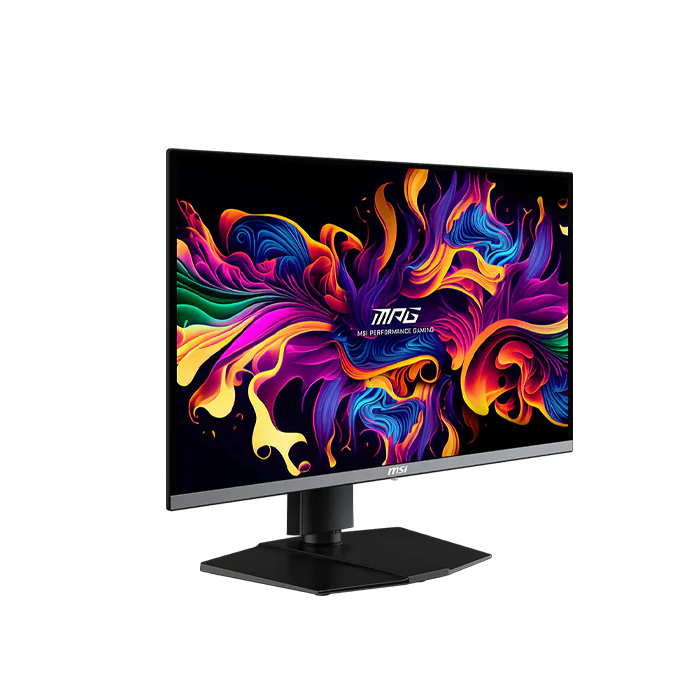
MSI MPG 272URX 27 Inch 240Hz 4K UHD HDMI 2.1 0.03ms QD OLED Gaming Monitor - Black
MSI MPG 272URX 27 Inch 240Hz 4K UHD HDMI 2.1 0.03ms QD OLED Gaming Monitor - Black
SKU: 272URX QD-OLED
Have a question?
-
All orders are dispatched the next business day!
-
We will beat any price. We back all products with a 1 year guarantee.
Couldn't load pickup availability
|
MSI MPG 272URX QD-OLED Gaming Monitor G-Sync Compatible G-SYNC Compatible support ensures smoother, tear-free gaming by syncing the monitor's refresh rate with the GPU. It reduces screen tearing, stuttering, and input lag for a more fluid experience, especially in fast-paced games. Additionally, it fully supports future hardware, allowing gamers to maximize the performance of cutting-edge GPUs. This ensures seamless compatibility and optimal visual quality, letting users take full advantage of new features like ray tracing and variable refresh rates. Firmware Update MPG 272URX QD-OLED can update the firmware through a USB and DP connector, which is simple and easy to use. This allows users to update the firmware on their own at any time when the latest version is released by MSI. This ensures that the screen is always in the best-optimized state. |
||||||||||||||||||||||||||||||||||||||||||||||||||||||||||||||||||||||||||||||||||||||||||||||||||||||||||||||||||||||||||||||||||||||||||||||||||||||||||||||||
Specification:
|
Description
Description
|
MSI MPG 272URX QD-OLED Gaming Monitor G-Sync Compatible G-SYNC Compatible support ensures smoother, tear-free gaming by syncing the monitor's refresh rate with the GPU. It reduces screen tearing, stuttering, and input lag for a more fluid experience, especially in fast-paced games. Additionally, it fully supports future hardware, allowing gamers to maximize the performance of cutting-edge GPUs. This ensures seamless compatibility and optimal visual quality, letting users take full advantage of new features like ray tracing and variable refresh rates. Firmware Update MPG 272URX QD-OLED can update the firmware through a USB and DP connector, which is simple and easy to use. This allows users to update the firmware on their own at any time when the latest version is released by MSI. This ensures that the screen is always in the best-optimized state. |
||||||||||||||||||||||||||||||||||||||||||||||||||||||||||||||||||||||||||||||||||||||||||||||||||||||||||||||||||||||||||||||||||||||||||||||||||||||||||||||||
Specification:
|
Item Specifics
Item Specifics